
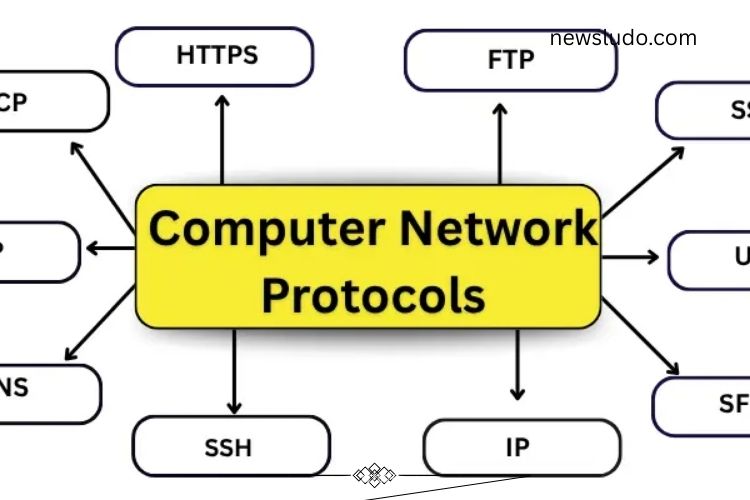
The internet as we know it depends on a set of rules called computer network protocols. These protocols allow computers, smartphones, and servers to communicate seamlessly. Without them, sending emails, browsing websites, streaming videos, or chatting online would be impossible. Understanding these protocols is the first step toward mastering networking and improving digital communication efficiency.
Read More: https://newsludo.com/bold-creative-and-unstoppable-characters/
What Is a Computer Network Protocol?
A computer network protocol is a set of rules that enables devices to exchange information effectively. It determines how data is sent, received, and interpreted. Protocols ensure that information travels securely, reaches the correct destination, and maintains proper order. They also manage errors, avoid conflicts, and keep networks running smoothly. Without protocols, network communication would be slow, chaotic, and unreliable.
Why Are Network Protocols Important?
Network protocols are essential because they standardize communication between devices. They ensure data transfer is fast, accurate, and secure. By following these rules, devices from different manufacturers can interact seamlessly.
Key reasons why protocols matter:
- Facilitate smooth communication between devices
- Ensure data transfer is safe and organized
- Maintain proper message order
- Connect different devices across networks
- Enable the internet to function efficiently for everyone
How Do Network Protocols Work?
Network protocols operate in structured steps, ensuring that data moves accurately from sender to receiver. These rules help computers understand each other and manage information safely.
Step 1: Data Creation
The sender generates a message or file, which could be text, an image, or any type of data.
Step 2: Data Formatting
The protocol splits the data into smaller packets. These packets are easier to transmit and reconstruct at the receiving end.
Step 3: Data Transmission
Packets travel through cables or wireless connections, following routes defined by network rules.
Step 4: Data Receiving
The receiver collects all packets and verifies that none are missing or corrupted.
Step 5: Data Reading
Packets are reassembled into the original message, ready for the user to read or process.
Types of Computer Network Protocols
Network protocols are divided into categories, each serving a unique purpose. Some focus on device communication, others on security, routing, or application management. Understanding these types is crucial for anyone working with networks.
Communication Protocols
Communication protocols ensure devices can exchange data efficiently. They define rules for sending, receiving, and verifying messages. Key communication protocols include:
- TCP (Transmission Control Protocol): Guarantees data arrives in the correct order.
- UDP (User Datagram Protocol): Transfers data quickly without error checking.
- ICMP (Internet Control Message Protocol): Reports network errors and tests connections.
- ARP (Address Resolution Protocol): Identifies a device’s physical network address.
- RARP (Reverse ARP): Finds the IP address from a device’s physical address.
- Telnet: Allows remote control of another computer over a network.
Network & Routing Protocols
Routing protocols guide data along the best path across networks. They prevent data loss and manage traffic efficiently. Important network protocols include:
- IP (Internet Protocol): Assigns addresses and ensures data reaches the correct destination.
- RIP (Routing Information Protocol): Chooses the shortest route for data transfer.
- OSPF (Open Shortest Path First): Updates routes quickly for smooth data flow.
- BGP (Border Gateway Protocol): Connects large networks, including the internet.
- DHCP (Dynamic Host Configuration Protocol): Automatically assigns IP addresses to devices.
- SNMP (Simple Network Management Protocol): Monitors and manages network devices.
Application Layer Protocols
These protocols allow applications to interact with network services. They enable web browsing, email, and file sharing. Major application protocols include:
- HTTP (Hypertext Transfer Protocol): Opens and displays web pages.
- HTTPS (Secure HTTP): Protects data during website interactions.
- FTP (File Transfer Protocol): Transfers files between computers.
- SFTP (Secure FTP): Provides secure file transfers.
- SMTP (Simple Mail Transfer Protocol): Sends emails.
- POP3 (Post Office Protocol 3): Downloads emails from servers.
- IMAP (Internet Message Access Protocol): Accesses emails directly on the server.
- DNS (Domain Name System): Converts website names into IP addresses.
Security Protocols
Security protocols protect data from unauthorized access and ensure private communication. They are critical for online banking, shopping, and private communication. Key security protocols include:
- SSL (Secure Sockets Layer): Encrypts data between websites and users.
- TLS (Transport Layer Security): Advanced encryption standard, successor to SSL.
- SSH (Secure Shell): Enables secure remote connections.
- PPTP (Point-to-Point Tunneling Protocol): Secures VPN connections.
- L2TP (Layer 2 Tunneling Protocol): Works with VPNs to protect data.
- OpenVPN: Offers safe and private internet connections.
Wireless & IoT Protocols
Wireless and IoT protocols allow devices to communicate without cables. They enable smart home devices, industrial sensors, and mobile gadgets to work together efficiently. Common protocols include:
- Bluetooth: Connects devices like phones, speakers, and computers wirelessly.
- ZigBee: Facilitates communication between smart home devices.
- MQTT (Message Queuing Telemetry Transport): Transfers data between IoT devices quickly and safely.
- CoAP (Constrained Application Protocol): Helps small devices communicate over the internet.
Key Elements of a Protocol
Every protocol has components that define its operation and ensure effective communication:
- Syntax: Specifies data structure and format.
- Semantics: Explains the meaning of each data element.
- Timing: Controls when data is sent and at what speed.
- Error Control: Detects and corrects errors during transmission.
- Flow Control: Manages data transfer speed to prevent network congestion.
Protocol Hierarchies and Models
Protocols are organized in layers to simplify communication and improve efficiency. Common models include:
- OSI Model: Seven layers describing the journey of data from sender to receiver.
- TCP/IP Model: Four layers widely used on the internet.
- Hybrid Model: Combines OSI and TCP/IP principles for optimized data transfer.
Advantages of Computer Network Protocols
Network protocols offer numerous benefits:
- Protect sensitive data from hackers
- Manage heavy traffic across networks
- Handle errors efficiently
- Maintain high-speed data transfer
- Ensure uniform communication rules across devices
Limitations of Computer Network Protocols
Despite their importance, protocols have some drawbacks:
- Updating protocols can be challenging
- Older systems may not support newer protocols
- Reliable internet connection is required
- Skilled personnel are necessary for management
- Performance may degrade in very large networks
Frequently Asked Questions:
What is a computer network protocol?
A computer network protocol is a set of rules that enables devices to communicate efficiently. It governs how data is sent, received, and interpreted across networks.
Why are network protocols important?
Protocols ensure fast, accurate, and secure communication between devices. They maintain data order, prevent errors, and allow different devices to work together seamlessly.
How do network protocols work?
Protocols divide data into packets, send them over the network, ensure they reach the correct destination, and reassemble them for the receiver. They also manage errors and timing.
What is the difference between TCP and UDP?
TCP ensures reliable, ordered delivery of data with error checking. UDP is faster but does not guarantee delivery or order, making it ideal for real-time applications.
How do security protocols protect data?
Protocols like SSL, TLS, and SSH encrypt data during transmission, ensuring privacy and protecting against unauthorized access or cyberattacks.
What role do wireless and IoT protocols play?
These protocols allow devices to communicate without wires. They enable smart devices, sensors, and gadgets to share information seamlessly in homes, offices, and industries.
What are the key elements of a protocol?
Protocols consist of syntax (structure), semantics (meaning), timing (speed/control), error control, and flow control to ensure smooth communication.
Conclusion
Computer network protocols are the backbone of modern digital communication. They ensure devices communicate efficiently, securely, and reliably, enabling everything from browsing websites to transferring files and connecting IoT devices. By understanding the types, functions, and key elements of these protocols, you gain the knowledge to optimize networks, enhance security, and improve overall digital performance. Mastering network protocols empowers IT professionals, tech enthusiasts, and everyday users to navigate the connected world with confidence and efficiency.