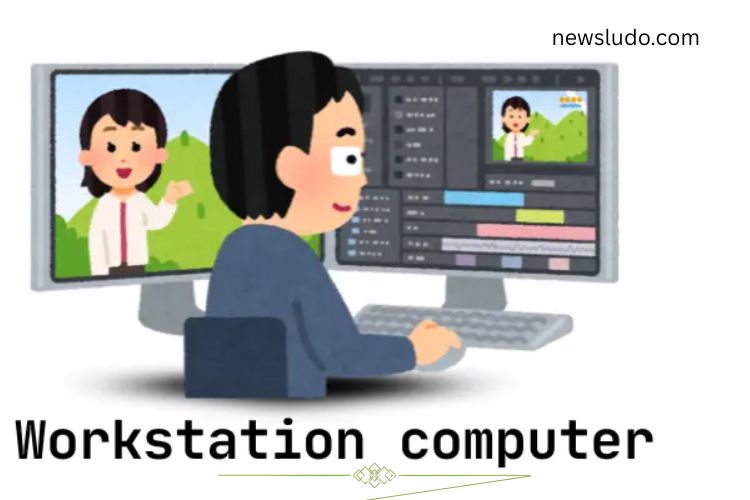
A workstation computer is a high-performance machine designed for demanding tasks. Unlike regular PCs, workstations deliver superior speed, enhanced reliability, and exceptional multitasking capabilities. They are commonly used in fields such as design, video editing, 3D modeling, engineering, and scientific research. With powerful processors, expanded memory, and robust graphics cards, these computers handle complex projects efficiently. They can run multiple applications simultaneously without lag, making them ideal for professionals tackling large-scale, resource-intensive tasks.
Read More: https://newsludo.com/understanding-choosing-and-loving-your-visual/
History of Workstation Computers
Workstation computers trace their roots back to the 1970s. The first workstation, the Xerox Alto, introduced groundbreaking features such as a graphical interface and a mouse, paving the way for modern computing. Designed for laboratory and office use, it was a major innovation for its time.
In the 1980s, companies like Sun Microsystems and IBM developed more advanced workstations, optimized for professional design and complex computations. Over the years, workstation technology has evolved dramatically, providing faster performance, enhanced graphics, and greater reliability. Today, workstations are essential tools for design, engineering, science, and creative industries, enabling professionals to complete intricate projects efficiently.
Types of Workstations
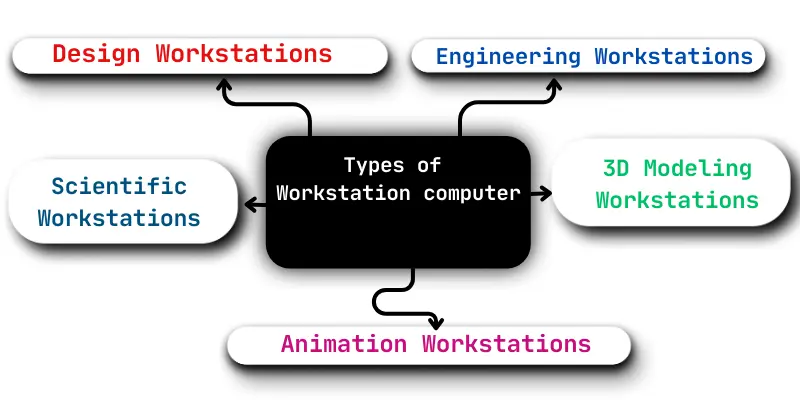
Workstations are not one-size-fits-all; they are designed for specialized tasks. Choosing the right type depends on the professional field and specific requirements.
- Design Workstations: These machines cater to graphic designers, photographers, and video editors. They feature powerful graphics cards and high-resolution displays for creating and editing visual content.
- Engineering Workstations: Engineers use these for designing machines, buildings, and products. They come with high-performance processors and large memory capacity to handle complex calculations and simulations.
- Scientific Workstations: Optimized for researchers, these workstations manage massive datasets and run computational experiments efficiently.
- 3D Modeling Workstations: Ideal for animators and game developers, these workstations combine fast processors and advanced graphics cards to create detailed 3D models and animations.
- Animation Workstations: Animators rely on these machines to handle large video files and complex animation software, ensuring smooth workflows.
Each type of workstation is tailored to meet the unique demands of its field, offering performance, stability, and efficiency that standard computers cannot match.
Key Features of a Workstation Computer
Several features distinguish a workstation from a standard PC. These attributes ensure optimal performance for professional-grade tasks:
- High Performance: Workstations are equipped with multi-core processors and substantial RAM to tackle resource-heavy applications effortlessly.
- Advanced Graphics: Dedicated graphics cards enable the creation and manipulation of high-resolution images, videos, and 3D models.
- Ample Storage: Large storage drives accommodate extensive files, including videos, animations, and research data.
- Customizability: Users can upgrade processors, graphics cards, and memory to adapt to evolving workloads.
- Enhanced Cooling Systems: Advanced cooling solutions prevent overheating during prolonged high-performance tasks.
- Reliability: Built for durability, workstations operate efficiently over long hours without crashing or slowing down.
These features make workstations indispensable for professionals who require consistent performance under demanding conditions.
Uses of Workstation Computers
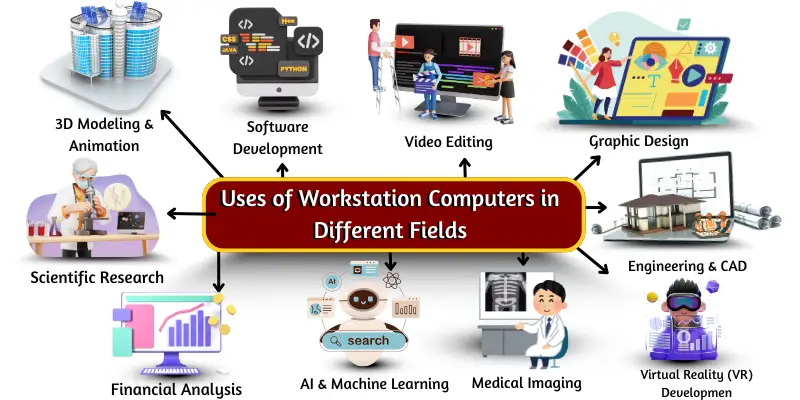
Workstation computers serve multiple industries, empowering professionals to complete sophisticated projects efficiently. Key applications include:
- Graphic Design and Animation: Workstations allow artists to create detailed visuals, logos, and animations for games, advertisements, and films.
- Video Editing: Editors use workstations to process and enhance large video files with advanced software tools.
- Architecture and Engineering: Architects and engineers design buildings, machines, and products, creating precise 3D models and blueprints.
- Scientific Research: Researchers leverage workstations for simulations, data analysis, and modeling experiments.
- 3D Modeling for Games and Movies: Game developers and film professionals create immersive 3D worlds, characters, and animations.
- Medical Imaging: Doctors use workstations to analyze CT scans, MRIs, and X-rays, aiding in accurate diagnosis and treatment planning.
- Virtual and Augmented Reality: Workstations power VR and AR experiences, supporting gaming, training, and medical applications.
- With such diverse applications, workstations are critical tools across creative, scientific, and technical fields.
Advantages of a Workstation Computer
Investing in a workstation offers numerous benefits for professionals seeking performance and reliability:
- Exceptional speed for handling large and complex projects.
- Ability to run multiple applications simultaneously without slowing down.
- Powerful components optimized for professional software.
- Long operational hours without performance drops.
- High-quality graphics for precise visuals.
- Expandable memory and storage for evolving workloads.
- Compatibility with advanced software for design, engineering, and research.
- Faster project completion, improving productivity.
Disadvantages of a Workstation Computer
Despite their advantages, workstations have some limitations:
- Higher purchase cost compared to standard PCs.
- Greater power consumption due to high-performance components.
- Larger physical footprint, requiring more space.
- Technical knowledge needed for hardware upgrades.
- Overkill for basic computing tasks.
- Features may overwhelm beginners or casual users.
- Intense workloads generate heat, necessitating effective cooling.
- Repairs and maintenance can be costly.
- Frequent software and hardware updates may be required.
Weighing these pros and cons is essential before investing in a workstation, ensuring the benefits align with professional needs.
Choosing the Right Workstation
Selecting a workstation depends on the intended purpose and budget. Designers should prioritize graphics performance, while engineers may focus on processing power and memory. Researchers handling large datasets should consider storage capacity and reliability. Additionally, professional support, warranty options, and future upgradability are key factors to consider.
Modern workstations offer customization options to meet evolving demands, allowing professionals to adapt their systems as projects grow in complexity. By carefully evaluating needs, users can maximize productivity while ensuring their investment is cost-effective.
Workstations vs. Regular Computers
While regular computers meet everyday tasks like browsing, office work, and media consumption, workstations excel in specialized, high-demand scenarios. They outperform standard PCs in speed, stability, and multitasking capabilities, making them essential for professionals in creative, engineering, scientific, and technical fields. Choosing a workstation over a regular computer ensures efficiency, precision, and reliability in completing complex projects.
Future of Workstation Computers
The future of workstation computing is tied to advancements in AI, virtual reality, and cloud-based technologies. Workstations are expected to become even more powerful, energy-efficient, and capable of handling increasingly complex simulations, 3D designs, and data-intensive tasks. Professionals in creative and technical industries will continue to rely on these machines as indispensable tools for innovation and productivity.
Frequently Asked Questions:
What is a workstation computer?
A workstation computer is a high-performance machine designed for demanding tasks such as 3D modeling, video editing, engineering simulations, and scientific research. It offers faster processing, more memory, and advanced graphics compared to a regular PC.
How is a workstation different from a regular computer?
Workstations are built for professional use. They provide superior performance, reliability, multitasking ability, and expandability, making them ideal for complex projects that standard computers cannot handle efficiently.
What are the key features of a workstation?
Key features include high-performance processors, advanced graphics cards, large storage, upgradeable components, robust cooling systems, and reliable operation for long hours.
Who should use a workstation computer?
Professionals in fields such as animation, graphic design, video production, architecture, engineering, scientific research, and virtual reality benefit most from using a workstation.
Can a workstation run regular applications?
Yes, workstations can run everyday applications like web browsers, office software, and multimedia programs. However, they are specifically optimized for resource-intensive tasks and advanced software.
Are workstations expensive?
Workstations tend to be more costly than standard PCs because of their high-performance components, reliability, and ability to handle specialized professional workloads.
Can I upgrade a workstation?
Most workstations are highly customizable. Users can upgrade CPUs, graphics cards, memory, and storage to meet evolving project demands.
Conclusion
Workstation computers are powerful, reliable machines designed to tackle the most demanding professional tasks. From 3D modeling and video editing to engineering simulations and scientific research, they deliver unmatched performance, high-quality graphics, and the ability to run multiple applications simultaneously. While they require a higher investment and technical know-how, the advantages—speed, reliability, and expandability—make them indispensable for professionals in creative, technical, and scientific fields. Choosing the right workstation ensures efficiency, precision, and productivity, making it a cornerstone of modern professional computing.