
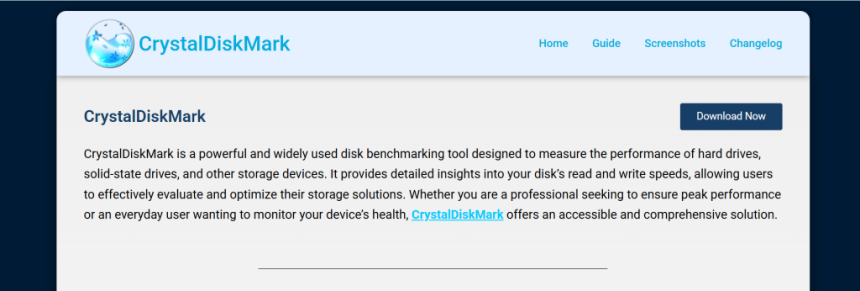
crystaldiskmark is one of the most popular disk benchmarking tools used to measure SSD, HDD, and NVMe performance. With many storage testing utilities available today, users often ask whether CrystalDiskMark is better than other benchmark tools or just one option among many. To answer this, it is important to understand its features, strengths, limitations, and how it compares with other disk benchmark tools in real-world usage.
Overview of CrystalDiskMark and Disk Benchmarking Tools
What is CrystalDiskMark
CrystalDiskMark is a lightweight disk benchmark tool designed to measure the read and write speeds of storage devices such as SSDs, HDDs, and NVMe drives. It is widely used for quick and accurate SSD speed tests, helping users understand how fast their storage performs under different workloads.
How disk benchmark tools work
Disk benchmarking software works by running controlled read and write operations on a storage device. These operations simulate real-world file transfers and random data access, allowing users to evaluate storage performance in a structured and measurable way.
Why benchmarking storage matters
Storage performance directly affects system speed, including boot time, file transfers, and application loading. Using a disk benchmark tool helps users identify performance issues and compare different drives before upgrading or buying new hardware.
Key Features and Performance Comparison
Speed measurement accuracy
CrystalDiskMark is known for providing consistent and reliable results for SSD speed testing and NVMe performance checks. While other tools may offer deeper analytics, CrystalDiskMark focuses on straightforward and repeatable speed measurements, making it highly trusted for basic benchmarking.
Ease of use and interface
One of the biggest advantages of CrystalDiskMark is its simple interface. Users can run tests with a single click, making it more beginner-friendly compared to advanced benchmarking software that requires technical configuration.
Supported storage devices
CrystalDiskMark supports a wide range of storage devices, including SATA SSDs, NVMe drives, HDDs, and even USB storage. Many competing tools also support these devices, but crystaldiskmark stands out for its quick setup and universal compatibility.
Limitations and Best Use Cases
Where CrystalDiskMark performs best
CrystalDiskMark performs best in quick speed testing scenarios where users need fast and reliable read/write results. It is especially useful for checking new SSD installations or verifying manufacturer performance claims.
Limitations compared to other tools
While effective, CrystalDiskMark does not provide deep system analysis or advanced performance metrics. Other benchmark tools may offer detailed workload simulations, temperature tracking, and long-term stress testing that go beyond basic speed measurement.
When to use alternative benchmark tools
Advanced users who need in-depth diagnostics or enterprise-level testing may prefer more complex benchmarking software. These tools are better suited for professional environments where detailed performance analysis is required.
FAQs
1. Is CrystalDiskMark better than other benchmark tools?
It depends on the use case. CrystalDiskMark is best for simple and fast SSD speed testing, while other tools may offer advanced analysis.
2. Is CrystalDiskMark accurate for SSD testing?
Yes, it provides reliable and consistent results for measuring SSD and NVMe performance.
3. Can CrystalDiskMark test HDD performance?
Yes, it works with HDDs, SSDs, NVMe drives, and USB storage devices.
4. Is CrystalDiskMark free to use?
Yes, it is completely free benchmarking software for Windows users.
5. Do professionals use CrystalDiskMark?
Yes, many professionals use it for quick storage performance checks and comparisons.
Conclusion
CrystalDiskMark is a powerful and easy-to-use disk benchmark tool that excels in quick and reliable storage speed testing. While it may not offer advanced analytics like some competing tools, its simplicity, accuracy, and wide compatibility make it a strong choice for both beginners and professionals. Ultimately, whether it is better than other benchmarking tools depends on your needs, but for fast SSD and NVMe performance testing, it remains one of the most trusted options available today.